

Listen to the article
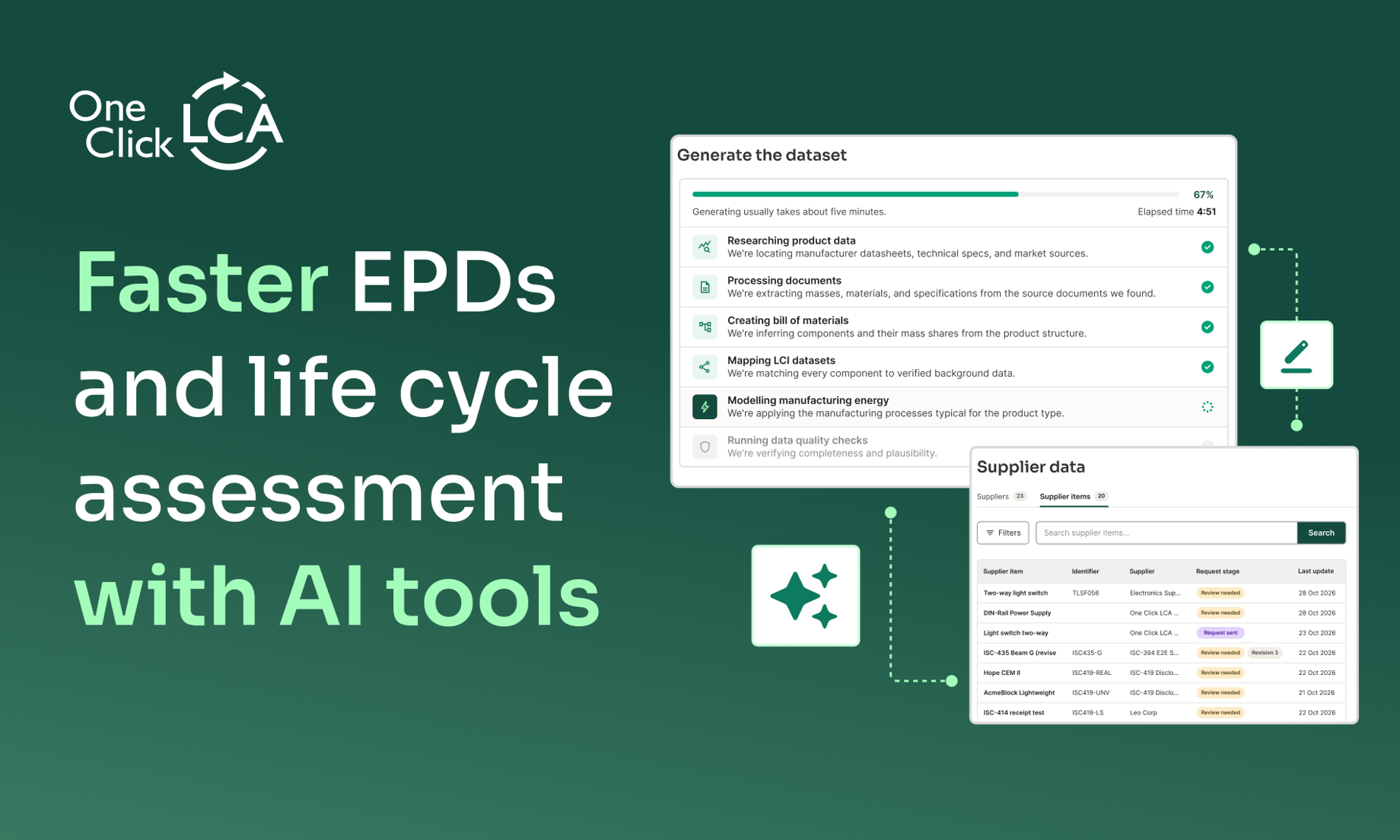
Manual work slows down analysis and Environmental Product Declaration (EPD) processes. Here is where new AI capabilities in One Click LCA help you move faster: a manual step before or after your analysis. You spend less time preparing data and documents, and more time using them to improve your building or product, or to take on more work.
- Test early design concepts before a BIM model exists with Sustainable Planner.
- Collect LCA-ready data from suppliers with no expertise needed with Supply Chain Data.
- No supplier data available? Create product-specific information with Data Factory.
- Drag and drop bills of materials and prepare raw cost plans with AI BOM Import.
- Fill product info fields automatically with EPD AI Documentation.
Save hours to weeks of manual work on every EPD and LCA
These capabilities cover the steps that slow work down before analysis starts and after it ends:
- Sustainable Planner: concept results in minutes rather than weeks.
- Supply Chain Data: no more weeks spent chasing and reformatting supplier replies.
- Data Factory: about a day saved for each core component.
- AI BOM Import: about four hours saved per project.
- EPD AI Documentation: up to six hours of writing saved per EPD.
Let AI handle manual data work. Use the time saved to make your building or product better, or to take on more work.
1. Sustainable Planner: make decisions early and avoid rework
Decisions made before detailed design determine much of a building’s environmental impact. Yet checking a concept for zoning, heat, wind, and carbon can take weeks, so teams bid with fewer options and lock in a design before anyone tests it. Later changes cost time and money.
Sustainable Planner lets you test design directions based on site boundary, urban rules, and building typology. It generates design options and shows each option’s microclimate results and early carbon estimate side by side. You compare options on evidence, then take the strongest into deeper analysis. You still make the design choices.
- Zoning text into rules: paste regulatory text, and AI converts it into structured rules you can check, edit, or skip.
- Fast first signals: get results about sun, shadow, and thermal comfort in minutes.
- Validated depth: simulations run on the ENVI-met engine, a scientifically validated microclimate model, with wind speed, air temperature, humidity, and PET and UTCI comfort indices. You can run several simulations in parallel. Carbon estimates draw on the Carbon Designer 3D engine.
- No specialist expertise required: architects, planners, and developers can run it without simulation training.
- Next step: take your strongest concept into Carbon Designer 3D, or export it to ENVI-met Desktop as an INX file.

Sustainable Planner: Compare and optimize design options with carbon & urban heat on day one.
2. Supply Chain Data: get data without asking suppliers to learn LCA
Once a concept becomes a building model with real quantities, you need product-specific data. Products with an EPD are straightforward, as they already provide it. For the rest, you rely on supplier information, but this often arrives as datasheets, emails, and spreadsheets in their own formats, or you never receive it. Weeks pass before you can run a single analysis.
With Supply Chain Data, your supplier can answer you with no expertise or login needed, through a secure link. They describe the product in plain words and upload what they already have: a datasheet, specification, bill of materials, or EPD, in PDF, Word, or Excel. AI reads the documents, asks plain-language follow-up questions only where information is missing, and turns the submission into LCA-ready data in your account.
- Full traceability: One Click LCA marks every property as supplier-provided or AI-created. It also shows each bill of materials component with its matched LCI dataset and a confidence rating.
- Calculations keep running: where primary data is missing, clearly labeled background data fills the gap, so your LCA and Scope 3 work continues.
- Better Scope 3 data: your Scope 3 picture is based on real supplier data instead of averages.
- Answer once, share many times: suppliers can share a submission with other companies that request it, which reduces duplicate requests.
3. Data Factory: create product-specific data when none exists
Sometimes the supplier cannot provide data at all. That leaves two poor paths: wait, or fall back on generic figures that do not reflect the product and penalize your score. Data Factory gives you a better option.
Describe the product in your own words, include a brand and model code, enter a product type with its mass, or paste a line from your bill of materials (BOM). You do not need a complete BOM, process data, or supplier LCA. Data Factory predicts the missing BOM and manufacturing steps, matches each component to One Click LCA’s 500,000+ verified datasets, and calculates the impacts. Generation only takes a few minutes.
- A full LCA model, not a single carbon number: You see results at product, component, and sub-component level, with each component’s mass, matched dataset, and confidence rating.
- Transparent and conservative: every assumption is visible, and a 25%safety margin applies to final impacts. Nothing reaches your account until you review and approve it.
- Save a full day: creating one core component to unblock an EPD or LCA project saves about a day of wasted time.
- Model once, reuse everywhere: Model recurring components once as pre-approved assemblies and reuse them across related products in your portfolio.
- Ready for reporting: Approved datasets feed PCF, EPD, and Digital Product Passport workflows in One Click LCA.
- Current coverage: electronics and electrical products, with further product groups in development.
Together, Supply Chain Data and Data Factory mean missing data no longer has to hold a project back.
4. AI BOM Import: use your cost plan or bill of materials with no extra work
Before any analysis starts, someone has to prepare the data. A cost plan or BOM often arrives as a 40-tab spreadsheet that mixes material rows with labor, plant hire, subtotals, and contingency sums. Cleaning it by hand takes an afternoon, before every import, on every project.
AI BOM Import removes that step. Upload your Excel cost plan, bill of quantities, BOM, or data collection form as received, and within minutes you have a file ready to review and import.
- Three workflows: buildings, infrastructure, and EPDs (modules A1 to A3).
- Classes assigned automatically: AI assigns a One Click LCA class to each row based on its headers and surrounding rows.
- Units and assemblies handled: AI normalizes units and splits composite items, such as wall assemblies, into individual materials.
- Nothing silently deleted: the tool flags labor, plant hire, headers, and subtotals instead of deleting them, and links every output row to its source row.
- Save four hours per project. At 30 projects a year, that is an average improvement of around 120 hours for one person.
5. EPD AI Documentation: review your EPD text from a full first draft
At the end of an EPD project comes the documentation: pages of life cycle description and scenario text in precise EN 15804+A2 language. Customers report spending one to six hours on this section per EPD, often adapting text from older EPDs in Word. Incomplete or inconsistent text can also trigger an extra verification round of three to four weeks.
EPD AI Documentation drafts text in EN 15804+A2 language from your project’s own LCA data. You review, check, and edit rather than start from a blank page. You remain responsible for your EPD, and it still goes through third-party verification.
- 28 fields covered: each description and scenario field in the EPD Generator, from A1-A3 to C-D, has its own Auto-generate button, so you review one section at a time.
- Nothing goes forward unreviewed: AI text stays highlighted until you approve it.
- No guessing: missing data triggers a warning, and a missing data source shows an [Add reference] placeholder.
- Checked for accuracy: two rounds of quality review with EPD Hub found no hallucinated content.
- Save up to six hours per EPD. Complete, consistent text also helps you avoid an extra verification round.
Summary
Manual work slows down life cycle assessment and Environmental Product Declaration (EPD) projects before analysis starts and after it ends. Five AI capabilities in One Click LCA remove these steps. Sustainable Planner tests early design concepts for carbon, microclimate, and zoning in minutes, before a BIM model exists. Supply Chain Data lets suppliers share LCA-ready data through a secure link with no expertise needed, and Data Factory creates product-specific data when none exists, saving about a day per core component. AI BOM Import turns raw cost plans and bills of materials into import-ready files, saving about four hours per project, and EPD AI Documentation drafts EN 15804+A2 text from your own LCA data, saving up to six hours per EPD. You spend less time preparing data and documents, and more time improving your building or product.